If you are searching for the best AI tools for students for making notes, you are probably short on time and buried under chapters, lecture recordings and assignment deadlines. This guide compares the most useful tools, shows which one fits which situation, and gives you prompts you can copy and use today.
Most students don't struggle because they are lazy. They struggle because good notes take hours.
You read a chapter, pick out the main points, rewrite them, and then format them for revision. AI can handle the first draft of this job in seconds. Your job is to check it and make it your own.
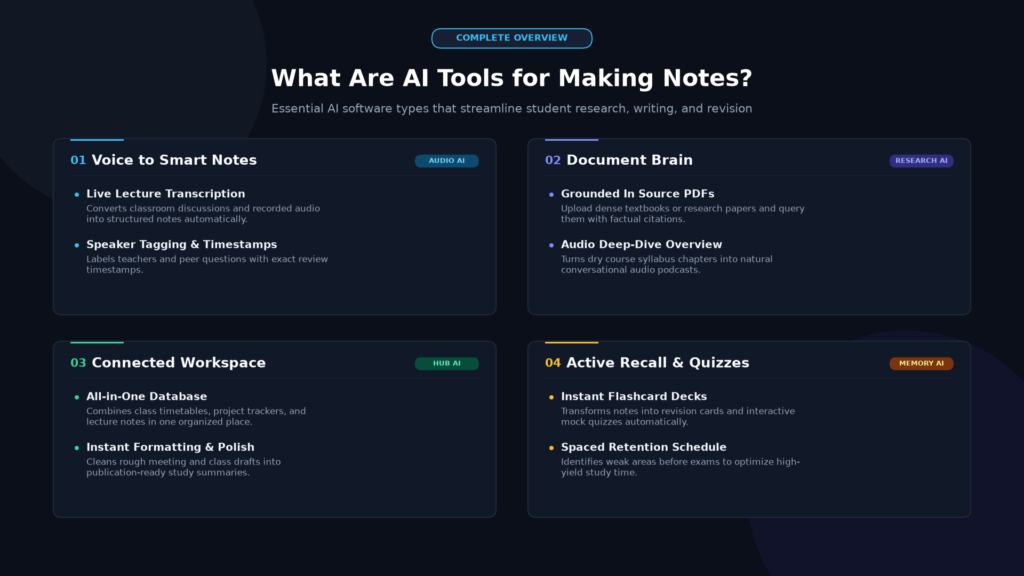
Here is what AI can do for you:
- Summarize long chapters into short revision points
- Explain hard topics in simple words
- Turn notes into flashcards and quiz questions
- Convert messy notes into clean headings and bullets
Think of AI as a fast assistant. It should not do the studying for you.
Tool Best for Try it when you want to
ChatGP Summries and simple explanations Turn a chapter into a one-page revision sheet
Google Gemini Topic understanding and outlines Break a confusing topic into steps
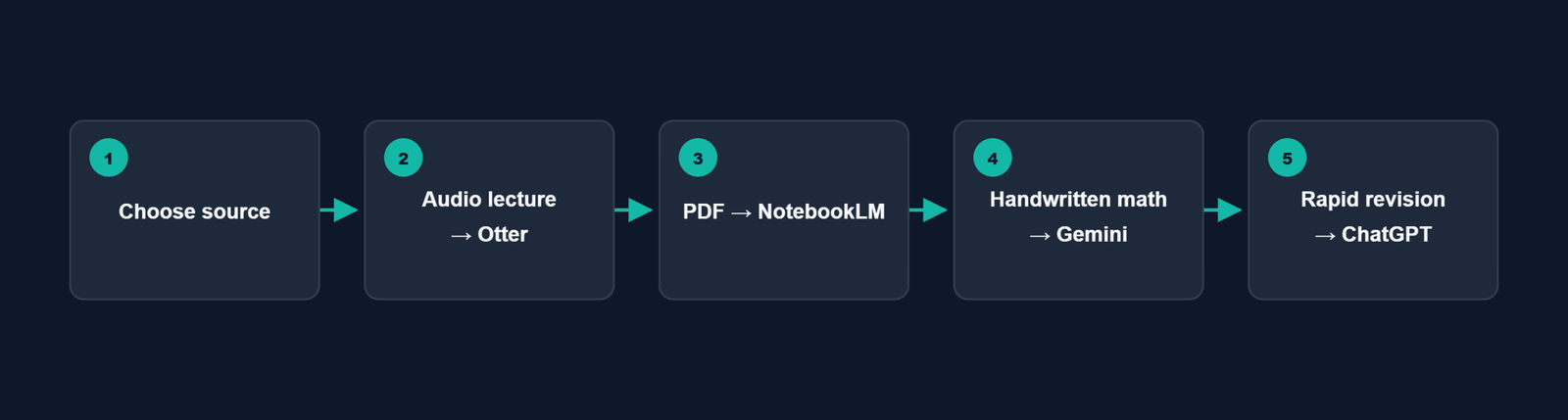
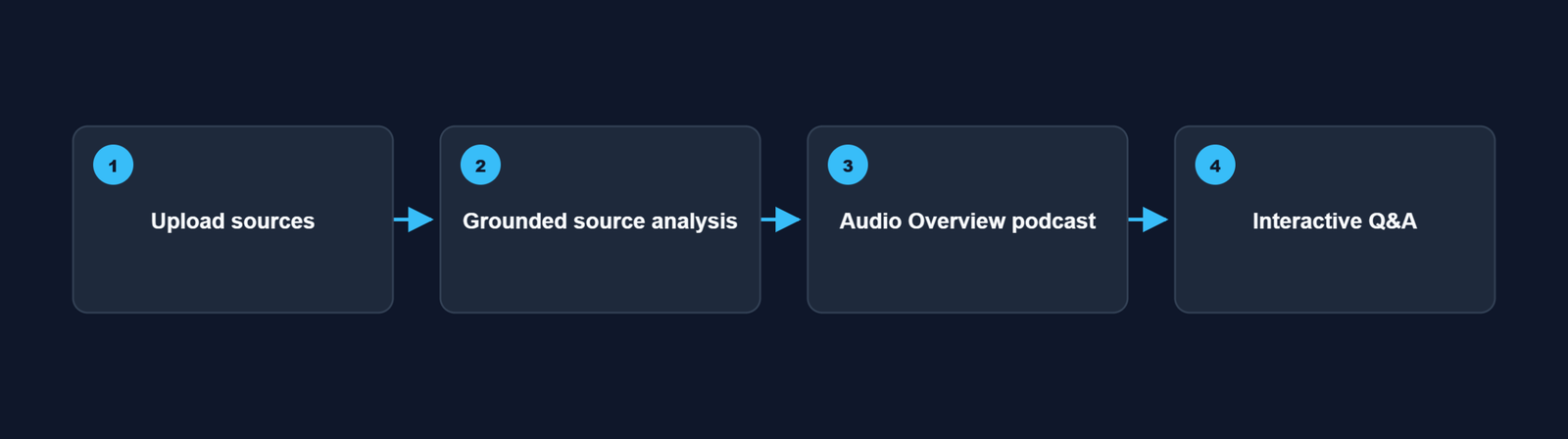
NotebookLM Notes from your own PDFs and documents Ask questions from your uploaded study material
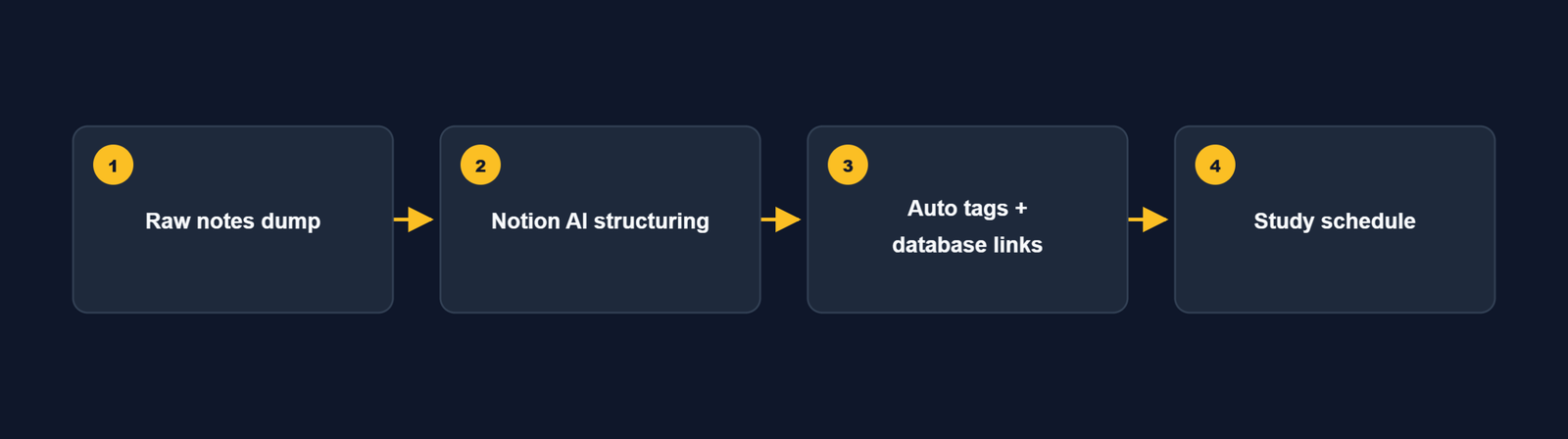
Notion AI Notes plus planning Keep notes, tasks and exam schedule in one place
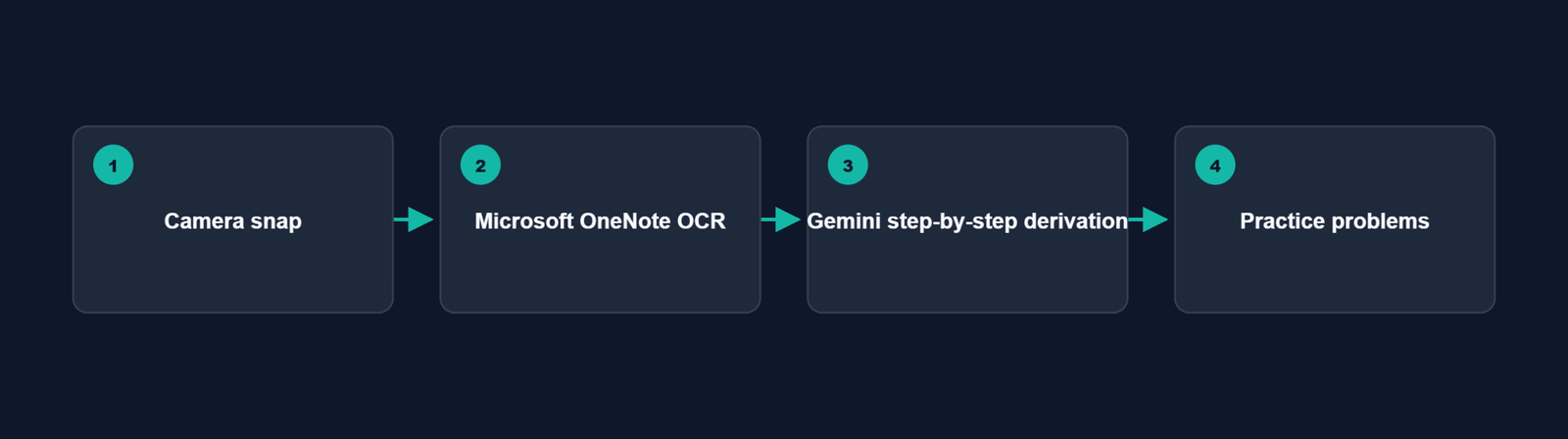
Microsoft OneNote Organizing class notes Store subject-wise notebooks and handwritten notes
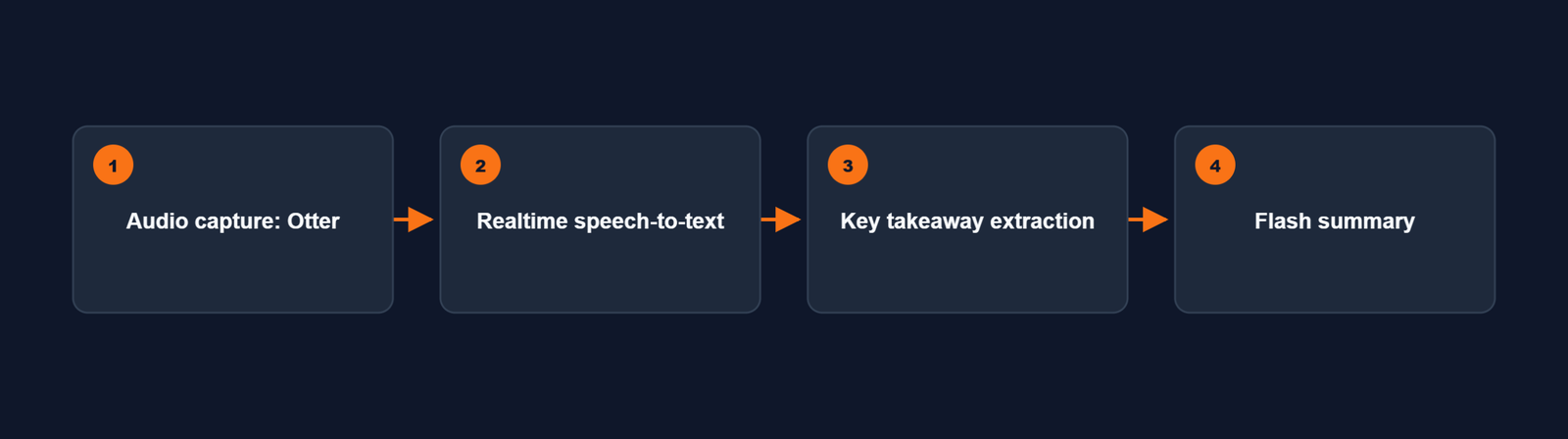
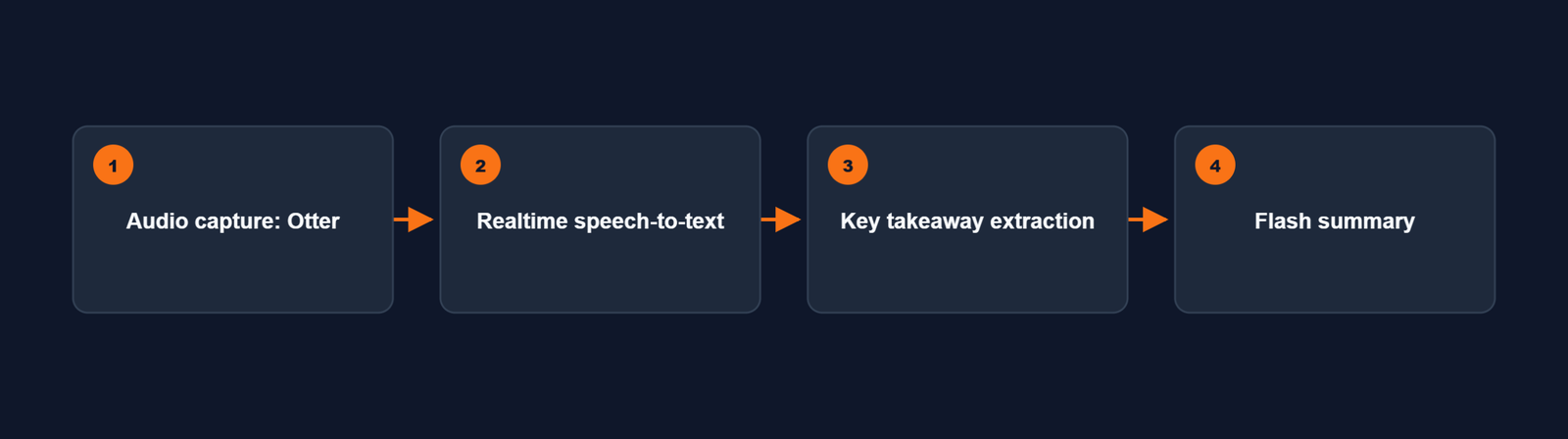
Otter.ai Lecture recording and transcripts Convert a recorded lecture into readable text
Features and free limits change often, so check each tool's official page before you decide.
ChatGPT works well when you already have text and want it shortened or simplified. You can also ask it to explain a topic "like I'm a first-year student" or give an example from daily life.
Good for: summaries, definitions, practice questions.
Keep in mind: it can make mistakes, so verify facts with your textbook.
Gemini is helpful when a topic feels confusing and you need a step-by-step breakdown. Ask it for an outline first, then study each part one by one.
Good for: study outlines, brainstorming, concept clarity.
NotebookLM lets you upload your own sources, such as PDFs or notes, and ask questions based on them. This makes it useful when you want notes tied to your syllabus rather than general internet knowledge.
Good for: chapter-based notes, revision from your own documents.
If you like keeping everything in one workspace, Notion is a strong choice. You can store notes, build a study planner, track assignments and use AI to tidy up long pages.
Good for: notes + to-do lists + exam planning.
OneNote is simple and flexible. Create one notebook per subject and one section per chapter. It is especially handy if you also write or draw by hand on a tablet.
Good for: subject-wise digital notebooks.
If your college allows recording, Otter can turn a lecture into a transcript. You can then paste the transcript into ChatGPT or Gemini to get clean notes.
Good for: long lectures and online classes.
The best AI tool for students for making notes can help students save time, organize important information, and create clear notes for easier revision.
Note: always take permission before recording a class.
-Need simple explanations?
Start with ChatGPT or Gemini.
-Have PDFs and textbooks?
Try NotebookLM.
-Want one app for everything?
Pick Notion AI.
-Attend many lectures?
Add Otter.ai.
-Want neat subject folders?
Use OneNote
You don't need all six. One or two tools used properly are better than six tools installed and ignored.

The quality of your notes depends on your prompt. Replace the words in brackets with your own topic.
1 Revision sheet: "Summarize [topic] in 10 bullet points for exam revision. Use simple language.
2 "Simple explanation: "Explain [topic] to a beginner using one real-life example.
3 "Flashcards: "Create 10 flashcards from these notes. Put the question on one line and the answer on the next.
4 "Self-test: "Ask me 5 short-answer questions on [topic]. Don't show the answers until I reply.
5 "Cleanup: "Reorganize these notes under clear headings and bullet points. Don't remove any important detail.
"Weak prompt: "Make notes on photosynthesis."
Strong prompt: "Make exam-focused notes on photosynthesis for a college student. Include the definition, two main stages, key terms and three likely exam questions."
Use this simple routine every time:
1 Read the original chapter first.
2 Ask AI for a summary with a clear prompt.
3 Simplify the difficult parts with follow-up questions.
4 Verify important facts against your textbook.
5 Personalize with your own examples, diagrams and formulas.
6 Revise by testing yourself with questions.
This keeps you in control and stops the notes from becoming a copy-paste job.
Handwritten notes AI-assisted notes
Speed Slower Much faster for first drafts
Memory Writing helps recall You must actively review
Structure You design it AI can suggest one
Best use Formulas, diagrams, final revision Summaries, questions, cleanup
The best approach is a mix. Let AI prepare the draft, then rewrite the key points by hand.
Trusting every answer. AI can sound confident and still be wrong.
Skipping the textbook. Notes without the source are risky.
Using vague prompts. Vague input gives generic output.
Sharing private data. Never paste passwords, ID details or confidential records.
Breaking college rules. Check your institution's policy on AI use in assignments.
Yes. Many of the tools above offer a free plan or limited free access, which is usually enough for summaries and basic notes. Limits and features change from time to time, so check the current plan on the official website. For related tips, see [INTERNAL LINK: your post on free study apps for students].
It depends on your need. ChatGPT and Gemini are great for explanations, NotebookLM for your own PDFs, and Notion AI for notes with planning.
The best AI tool for students for making notes can help students create clear, organized, and easy-to-understand notes from their study material. It can save time and make revision easier.
Yes, some tools can work with PDFs and documents. NotebookLM is built around this idea. Always compare the output with the original file.
They are a good starting point. Verify the facts, add your own understanding, and test yourself before the exam.
No. AI saves time, but reading, practicing and understanding are still your responsibility.
The best AI tools for students for making notes are the ones that match how you study. Start with one tool, use clear prompts, check every important fact, and add your own examples.
Do that consistently, and AI turns from a shortcut into a genuine study partner. For more ideas, read our guide on [INTERNAL LINK: your post on study tips or productivity tools].